Win Words: Crosswords Game
Bear Hug Entertainment LimitedWord
4.6304.00 Reviews
- Version
- 2.1
- Installs
- 50.00K
- Age Rating
- Mature 17+
Screenshots
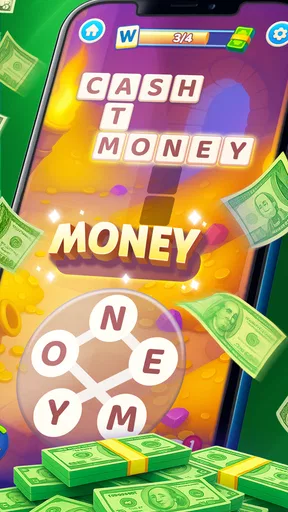
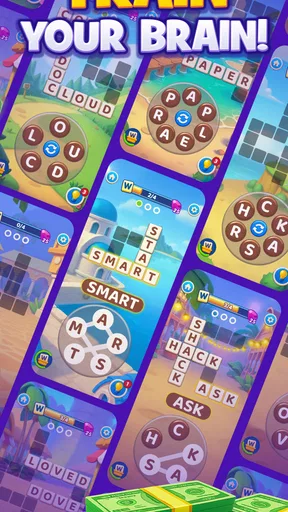
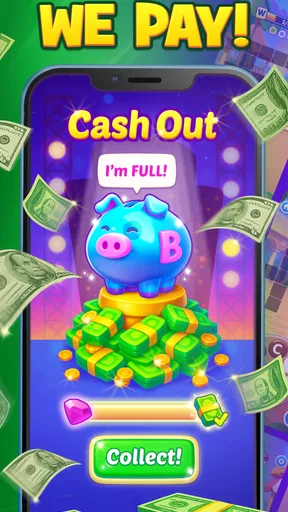

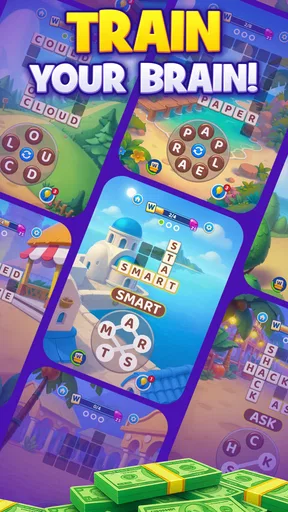
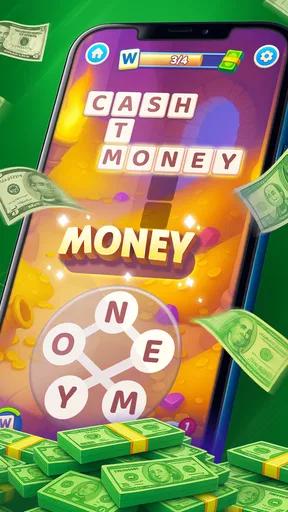
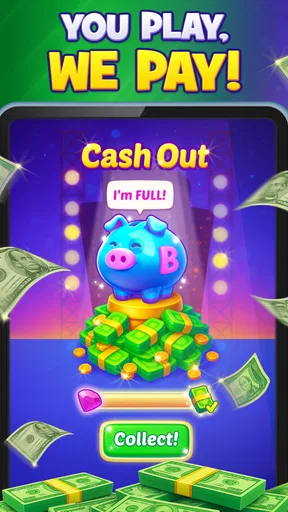
Our Review of Win Words: Crosswords Game
 Analysis by Appyee
I approached Win Words: Crosswords Game as a quick word-game option rather than something to play only when I have a long, uninterrupted session. Its basic appeal is easy to understand: solve classic crossword-style puzzles, connect words, and work toward rewards. That sounds simple, but the experience depends heavily on how comfortable you are with clue-based play, how patiently you handle a difficult board, and whether the reward angle matters to you more than the puzzle itself.
What stood out to me is the way the game sits between a traditional crossword and a casual mobile word game. It keeps the familiar satisfaction of filling connected answers, while presenting the activity in a format that feels more approachable for short sessions. I would recommend it to someone who enjoys vocabulary challenges but does not want a complicated strategy game. I would be more cautious with it for anyone expecting a fully traditional newspaper crossword experience or a guaranteed source of meaningful income.
Where players are most likely to get stuck
The first difficulty is not necessarily the vocabulary. It is learning how to read the board as a network rather than as a collection of isolated clues. When I focused on one answer at a time, I could easily spend too long on a clue that became obvious only after a crossing letter appeared. The more effective approach is to move around the puzzle, collect the answers I know, and use those letters to narrow down the uncertain spaces.
This matters especially when a clue seems to have several possible answers. A short word can fit the meaning but still be wrong because its letters do not support the surrounding entries. I found it more useful to treat every answer as provisional until the crossings confirmed it. That habit reduces the frustration of mentally committing to a word and then having to rethink half the board.
Another point of friction is the difference between knowing a word and recognizing the clue’s intended wording. Crossword clues often rely on a synonym, a familiar phrase, or a small change in grammatical form. If I approached every clue literally, I created unnecessary dead ends. When a response looked close but did not fit, I reconsidered the clue’s tense, plural form, or alternate meaning before assuming the puzzle was unfair.
The reward promise can also shape expectations in an unhelpful way. The game is free to play, and its store summary connects puzzle progress with real rewards, but I would not treat that phrase as a substitute for reading the in-game terms carefully. A reward-oriented game can still be enjoyable when the puzzle is the main reason to open it. It becomes disappointing when someone installs it solely for money and finds that the word-solving itself is not engaging.
There is also a practical age consideration. The content rating is Mature 17+, so I would not install it on a child’s device simply because it belongs to the word-game category. A crossword label does not automatically make an app suitable for every age. Parents should check the store presentation and the experience on the intended device before allowing access.
How I handle a stubborn clue
My most useful routine was to separate certainty from guesswork. I filled the answers I knew immediately, marked mentally which spaces were based on a hunch, and then returned to the uncertain clues after more crossings appeared. This is faster than repeatedly staring at one clue with no new information.
I also avoided using a broad vocabulary as an excuse to force obscure answers. If a word felt unusually specialized, I checked whether the crossing letters really supported it. That small discipline is valuable in a game built around connected answers: the board itself should gradually validate the solution, not just your confidence in it.
For a short break, I would aim to make progress rather than finish a complete puzzle every time. That removes pressure from the session and makes the game easier to fit around commuting, waiting rooms, or a coffee break. If you prefer a clearly timed challenge with a definite win-or-lose result, this style may feel less satisfying than a more competitive word title.
Setup checks that prevent avoidable frustration
The game comes from Bear Hug Entertainment Limited and is listed as a free title for Android. Its current version is 2.1, with Android 9 as the minimum operating system. Before blaming the game for a failed installation or an unstable opening, I would first check that the phone meets that requirement and has enough available storage for an installation and its temporary files.
That check is particularly important on older phones. A device can technically run a recent operating system while still struggling because of limited free space, aggressive background cleanup, or a crowded memory state. Closing unused apps and restarting the phone are simple steps, but they are worthwhile before repeatedly reinstalling a game and losing time.
I would also install it through the normal official store route and avoid unofficial packages promising easier rewards or modified progress. Those downloads can create problems that look like a game fault, including failed updates, damaged installations, and account confusion. For a free word game, there is little practical reason to trade a straightforward setup for an unknown file.
After installation, I recommend opening the game on a stable connection and allowing the first launch to finish without rapidly switching between apps. If the initial screen appears slow, tapping repeatedly usually does not help. Waiting briefly, then closing and reopening the app once, is a cleaner test than creating a long chain of duplicate inputs.
The reward aspect makes account and progress awareness more important than it would be in a completely offline crossword book. I would pay attention to which screen shows progress, whether a reward action has visibly registered, and whether the game returns to the same state after reopening. I would not assume that completing a puzzle and receiving a reward are always the same event. Keeping those steps mentally separate makes it easier to identify where a problem actually occurred.
It is also sensible to keep the app updated through the standard store. The listed release date is October 3, 2025, and software around a recent release can change as the developer adjusts the experience. An update may improve reliability, but it can also alter menus or the way progress is displayed. Before updating during an important session, I would finish any visible task and make sure I know the account or progress state I am using.
What the public signals suggest about the experience
The game has an average rating of 4.6 from around 5,200 ratings, alongside more than 300 written reviews. It has also passed 50,000 installs. Those figures suggest that the concept is attracting a meaningful early audience, but they should not replace a personal test. Word-game satisfaction is unusually dependent on clue style: a player who enjoys compact, familiar prompts may have a very different reaction from someone who wants long, literary crosswords.
For me, the most relevant question is whether the basic solving loop remains pleasant when I ignore the reward language. If the answer is yes, the reward system is an extra reason to continue. If the answer is no, no progress incentive can fully repair the experience. That is the practical test I would use before spending much time with it.
Recovering a session when progress or rewards look wrong
When an app appears to lose progress, the first step is to avoid destructive troubleshooting. I would not immediately clear storage, uninstall the game, or repeatedly sign out. Those actions can remove local information or make it harder to tell whether the issue was temporary. I would first close the game normally, reopen it, and look for the last puzzle state or progress screen I remember seeing.
If the board returns but a reward does not appear, I would record the sequence in plain language: which puzzle I completed, what screen appeared afterward, and whether the game showed a confirmation. That information is more useful than simply saying that rewards are missing. It also helps separate a delayed display from a genuinely incomplete action.
A reliable recovery workflow is to change only one thing at a time. First test the connection, then restart the app, and only afterward consider a device restart. If everything changes simultaneously, it becomes difficult to know what fixed the problem. This is especially important when a reward-related screen depends on a connection and the puzzle itself feels playable.
I would also avoid opening several sessions on different devices while trying to recover. Even when a game appears simple, switching rapidly can create uncertainty about which state is current. Using one device, one connection, and one uninterrupted attempt gives the clearest result. If the issue remains, the developer’s support route is the appropriate next step, with the device model, operating system, app version, and the exact point of failure ready to share.
There is a trade-off here between convenience and caution. Reinstalling can sometimes solve a damaged installation, but it should be a later step rather than the first response. Because the game includes progress and rewards, I would only consider it after checking that the relevant account or recovery method is understood. A quick reinstall is not automatically a safe reset.
When a puzzle feels impossible
Not every stalled board indicates a technical problem. Sometimes the clue is simply outside my vocabulary, or I have locked onto the wrong interpretation. Before restarting, I scan the crossings again and look for a word that fits both the clue and the letter pattern. I also check whether I am reading the direction correctly and whether a singular answer is being suggested by a plural-looking phrase, or the reverse.
If the game offers any hint or assistance during play, I would use it selectively rather than spending help on the first difficult clue. The best use is often a clue that unlocks several crossings, not a nearly solved answer. I am deliberately describing this as a playing strategy rather than promising a particular tool, because the useful choice depends on what is visible in the installed version.
Taking a break is another legitimate solving technique. After several minutes of staring at the same pattern, I tend to repeat the same assumptions. Returning later with a few established letters can make the answer feel obvious. That is one reason this game works better for me as a flexible casual activity than as a test I must complete in one sitting.
When the app is not the cause
Some failures belong to the phone, connection, or store rather than the game. A download that stops can be caused by unstable Wi-Fi, low storage, or a store process that needs restarting. A game that opens slowly can be affected by background apps, battery-saving restrictions, or an older device under heavy load. Checking those conditions first prevents unnecessary accusations and unnecessary data loss.
Connection problems deserve special attention because a puzzle may appear to work while a progress or reward action waits for communication. If the board responds but a confirmation does not, I would test the connection by switching to a more reliable network when possible, then reopen the relevant screen. I would not repeatedly tap a reward button while the connection is uncertain, since that can make the final state harder to understand.
Operating-system compatibility is another boundary. The minimum listed requirement is Android 9, so a phone below that level is not a good candidate for troubleshooting tricks. If the device meets the requirement but the app closes, I would update the operating system where the manufacturer supports it, restart the phone, and check for pending store updates before trying a clean reinstall.
It is also possible for a problem to come from expectations rather than performance. The phrase “real rewards” may lead a player to expect immediate, universal, or cash-like results. I would read the in-game explanation carefully and distinguish puzzle completion, eligibility, and any redemption step. Those are separate parts of the experience, and confusing them can make a functioning game seem misleading.
Compared with a paper crossword book, this game is more convenient and easier to carry, but it introduces software and reward-related friction that paper does not have. Compared with a standard free crossword app, its reward focus may be more appealing to someone who wants an additional reason to keep solving, while a conventional alternative may be better for a player who wants a quiet puzzle without account or progress concerns. Compared with a competitive word game, Win Words is a calmer choice if you prefer personal solving to direct matches, rankings, or rapid rounds.
That comparison also clarifies who should skip it. I would look elsewhere if I wanted advanced crossword construction, a large archive of themed puzzles, a completely offline experience, or a game whose value is measured only by intellectual challenge. I would also skip it if the Mature 17+ rating conflicts with the intended player. The simple category label does not override that suitability question.
My practical verdict after using it
Win Words: Crosswords Game is most convincing when I treat it as a casual connected-word puzzle with a reward layer, not as a guaranteed earning tool. The solving loop is approachable, and the crossword format gives each answer more purpose because one good entry can unlock several others. That structure makes it easy to return for a short session without learning a complicated rule set.
Its main weakness is the uncertainty around the practical reward journey. Anyone installing it should be prepared to read the relevant instructions, track progress carefully, and troubleshoot connection or account issues methodically. The game is also a poor fit for people who want every clue to be immediately familiar or who dislike pausing to reconsider an answer.
My advice is to begin with a small, low-pressure trial. Confirm that the game runs properly on the device, solve enough puzzles to decide whether the clue style suits you, and observe how progress and rewards are presented before investing serious time. Do not install it on an unsupported or shared device without checking the age rating and operating-system requirement first.
For the right player, the best feature is not the promise of an incentive; it is the way connected answers turn a few spare minutes into a focused vocabulary exercise. I would recommend it to adults who already enjoy crosswords and are curious about a reward-oriented format. I would not recommend it blindly to children, traditionalists seeking a paper-like crossword library, or anyone expecting effortless income. Try it for the puzzle first, and regard the rewards as a condition to understand rather than a result to assume.
Verdict
Strengths of Win Words: Crosswords Game
- Relaxing gameplay suitable for short daily sessions.
- Helpful hints make difficult puzzles less frustrating.
- Clean interface keeps the focus on solving words.
- Progress tracking encourages regular play.
- Good option for improving vocabulary and spelling skills.
Limitations of Win Words: Crosswords Game
- Some puzzles may feel repetitive after extended play.
- Hints can reduce the challenge for experienced players.
- Difficulty may vary noticeably between individual puzzles.
- Requires patience when answers depend on less common words.
- Ads may interrupt the experience in the free version.
Other Releases by Bear Hug Entertainment Limited
View All
Treasure Tiles: Win Cash
Puzzle4.6

Garden Match: Win Cash
Puzzle4.6
Similar Picks in This Category
View All
Word Search - Word Puzzle Game
Bluetile4.8

Word Search Quest - Puzzles
Blackout Lab4.8

CodyCross: Crossword Puzzles
Fanatee, Inc.4.7

Words of Wonders: Crossword
Fugo Games4.9

Wordscapes: Word puzzle game
PeopleFun4.7

Word Search Explorer
PlaySimple Games4.9
Frequently Asked Questions
What is Win Words: Crosswords Game?
Win Words: Crosswords Game is a word puzzle app centered on crossword-style challenges. Players complete grids by finding words from the available clues, testing vocabulary, spelling, and general knowledge. The game is designed for short or extended play sessions, making it suitable for users who enjoy relaxing brain games, daily puzzles, and progressively more demanding word challenges.
How does the gameplay work in Win Words: Crosswords Game?
The basic gameplay involves reading a clue, selecting or entering the correct answer, and filling the crossword grid until the puzzle is complete. Correct answers help reveal crossing letters, which can make difficult clues easier to solve. Depending on the level, players may also have access to hints or other assistance when they become stuck, although these features may be limited or connected to in-game rewards.
Is Win Words: Crosswords Game free to download and play?
Win Words: Crosswords Game can generally be downloaded without an upfront purchase, allowing users to try the main crossword experience for free. However, free versions of puzzle games commonly include advertisements, optional purchases, or paid items such as extra hints and bonuses. Before downloading, check the store listing for the current pricing, advertising policy, and available in-app purchase details.
Can I play Win Words: Crosswords Game without an internet connection?
Offline availability may depend on the specific version of the app and how puzzles, advertisements, and rewards are delivered. Some previously loaded levels may remain playable without an internet connection, while other features could require online access. If offline gaming is important to you, test the app after disabling mobile data and Wi-Fi, and review the latest store information for confirmed requirements.
Is Win Words: Crosswords Game suitable for beginners and children?
The game can be a good choice for beginners because crossword puzzles usually introduce the mechanics gradually and allow players to learn through easier clues before facing more complex grids. Its suitability for children depends on vocabulary difficulty, advertising, and any external links or optional purchases. Parents should review the age rating, privacy information, and in-app purchase settings before allowing younger players to use it.
Play our best games!


